Extension or file?
A streaming-service player controls the caption tracks it offers. If it cannot show two languages together, a compatible browser extension may add that feature. This tool needs two subtitle files you can open locally.
For video files you have on your computer, Bilingual subtitles combines both languages into a file for a player that supports its format.
Make a bilingual file
- Get two subtitle files for the same video, one per language. Check that both are in sync with the video first. If one drifts, fix it with Sync subtitles.
- Open Bilingual subtitles and add both files. The first is the main language: its times are used.
- Choose where the second language goes, italics and color, then select Create bilingual subtitles.
- Watch the result on your own video with the preview, then download.
With the default settings, these two files:
1
00:00:01,000 --> 00:00:03,500
Where is the station?

2
00:00:05,000 --> 00:00:07,000
Turn left.
1
00:00:01,100 --> 00:00:03,400
¿Dónde está la estación?

2
00:00:05,200 --> 00:00:06,800
Gira a la izquierda.
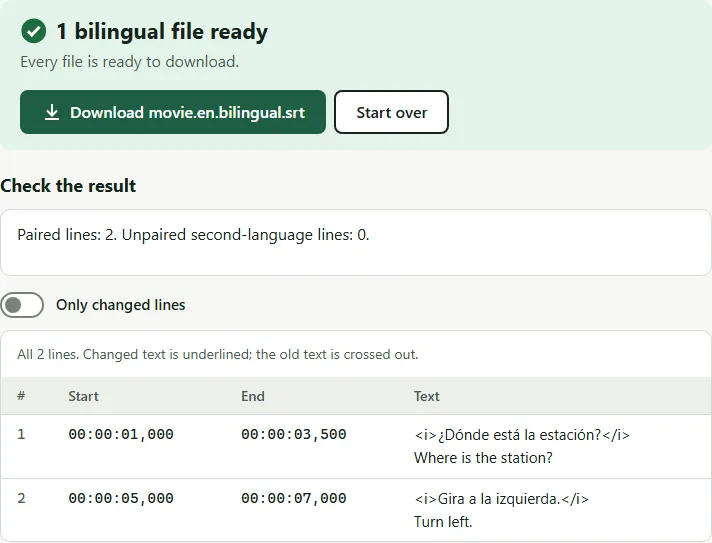
become one file:
1
00:00:01,000 --> 00:00:03,500
<i>¿Dónde está la estación?</i>
Where is the station?

2
00:00:05,000 --> 00:00:07,000
<i>Gira a la izquierda.</i>
Turn left.
SRT, ASS or WebVTT?
- SRT puts both languages in the same subtitle, one above the other, for players that support SRT. Long lines in two languages can fill a lot of the picture.
- ASS gives each language its own style: the main language at the bottom, the second at the top in a smaller size. Players that read ASS, such as VLC and mpv, keep them apart.
- WebVTT writes two cues at the same time, one placed above the other, for web players.
Common mistakes
- Combining files from different releases. If one file was made for a different cut or frame rate, the lines won’t pair. Sync each file to the video first.
- Too much text. Two languages double the reading. Rewrap long lines with the subtitle line breaker before combining.
- Mixed character sets. If one language shows é or �, fix the encoding of that file first.
Questions
Can VLC show two subtitle tracks at the same time?
The simplest way is one bilingual file, which VLC shows like any other subtitle. Some players have a secondary subtitle option (mpv, for example), but it differs from player to player.
Which language should go on top?
Most learners put the language they are learning on top or in italics, so the eye goes there first. The tool puts the second language above the main line and in italics by default; you can change both.
The two files have different line breaks and times. Does that matter?
No. Times come from the main file, and each second-language line is paired with the main line it overlaps most. Lines that don't overlap enough are kept as separate subtitles.
Will a bilingual file work on my TV?
It stores both languages as text in ordinary SRT cues. Try a short sample on your TV; line wrapping, character support, colors and italics vary by player.