The same subtitle in three formats
Here is one subtitle in SRT, and the same line after converting it to WebVTT:
1
00:00:01,000 --> 00:00:03,500
Then lock the gate.
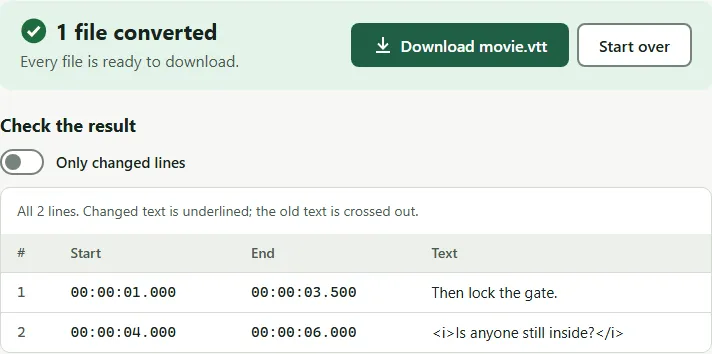
WEBVTT

00:00:01.000 --> 00:00:03.500
Then lock the gate.
In ASS, the same line is one row of a table that also names a style. Converted with the subtitle converter, it looks like this (the file also has a header and a style list above it):
1
00:00:01,000 --> 00:00:03,500
Then lock the gate.
Dialogue: 0,0:00:01.00,0:00:03.50,Default,,0,0,0,,Then lock the gate.
Side by side
| SRT (.srt) | WebVTT (.vtt) | ASS (.ass) | |
|---|---|---|---|
| Time format | 00:00:01,000 |
00:00:01.000 |
0:00:01.00 |
| Precision | milliseconds | milliseconds | hundredths of a second |
| Header | none | WEBVTT line |
[Script Info] and style list |
| Styling | basic <i>, <b>, <u>, <font> (not every player) |
CSS classes and ::cue styles |
fonts, sizes, colors, outlines per style and per line |
| Positioning | {\an8} codes in some players |
line, position and alignment settings | exact x/y positions, rotation, effects |
| Best for | players, editors, TVs, uploads | HTML5 video on web pages | styled subtitles, anime, karaoke |
The WebVTT rules come from the W3C WebVTT specification: a file must start with WEBVTT, and times use a full stop before the milliseconds.
Which one to use
- Watching a downloaded video in VLC, mpv, Plex, Kodi or on a TV: SRT is the safe choice. Players that read ASS show its styling; SRT works on almost all of them.
- Uploading to YouTube: SRT, SBV and WebVTT are all on YouTube’s list of supported files.
- Putting video on your own web page: WebVTT. The HTML
<track>element plays WebVTT. Convert with SRT to VTT. - Opening captions you got from a web player or a meeting recording in an editor: many editors want SRT. Convert with VTT to SRT.
- Styled subtitles with fonts and colors: ASS. Start from an SRT with SRT to ASS and keep editing it in a subtitle editor such as Aegisub.
Common mistakes
- Renaming instead of converting. A
.vttname on an SRT file is still an SRT file; strict web players reject it. - Expecting SRT to keep ASS styling. Converting to SRT keeps words and times only. Keep the original ASS file if you might need the styling later.
- Forgetting the character set. A format change does not fix broken letters. If you see é or �, fix the encoding — the converter also saves every file as UTF-8.
Sources: W3C, WebVTT: The Web Video Text Tracks Format (Candidate Recommendation Draft); YouTube Help, Supported subtitle and closed caption files.
Questions
What is the difference between VTT and SRT?
They store the same timed lines. WebVTT starts with a WEBVTT header, uses a dot instead of a comma before the milliseconds, and can position and style lines. SRT is simpler and is read by more players and editors.
Can I just rename a .srt file to .vtt?
Not reliably. Web players expect the WEBVTT header and dots in the times, and some reject the file without them. Convert it instead; it takes a second.
Does converting ASS to SRT lose anything?
Yes. SRT has no fonts, colors, positions or effects, so those are removed. The words and times are kept.
Which format does YouTube accept?
YouTube lists SubRip (.srt), SubViewer (.sbv), WebVTT (.vtt), TTML and several others as supported caption files.